

Show the product, not just describe it
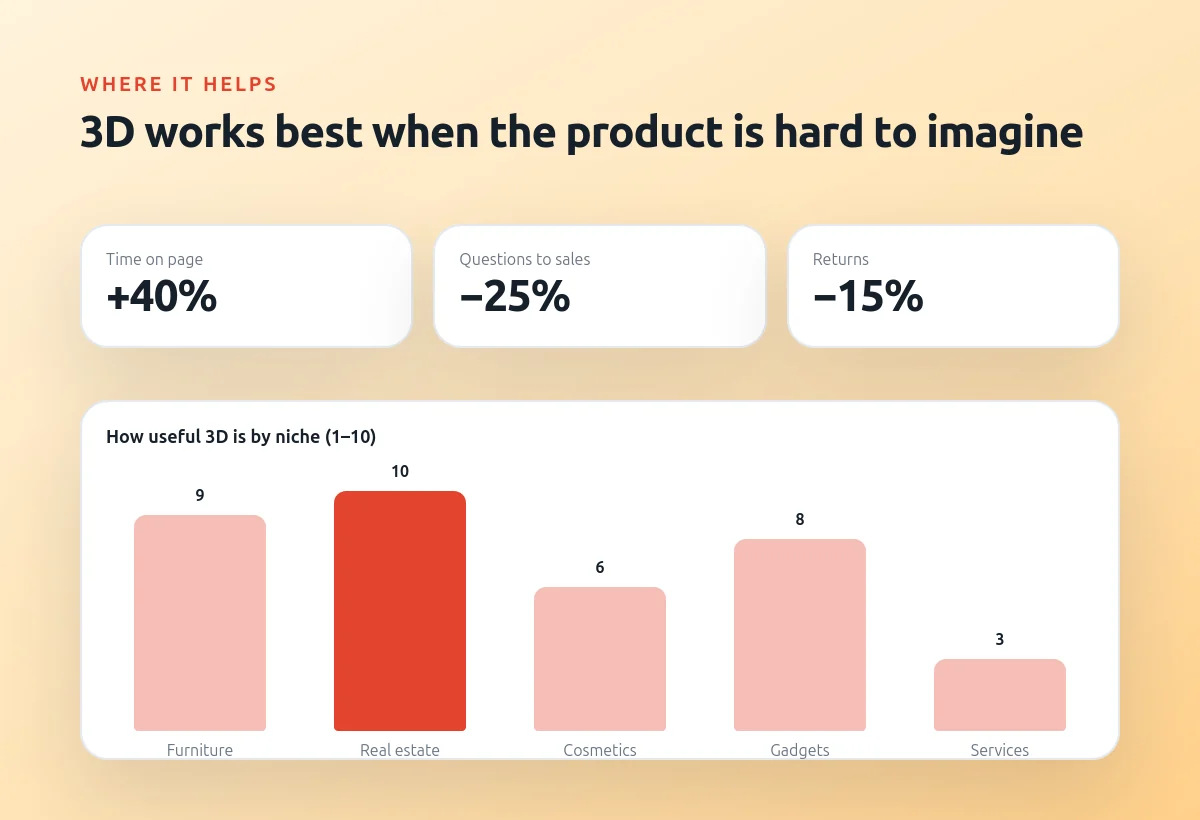
3D on a website looks impressive, but it is not decoration for its own sake. It works best when the product is hard to imagine from photos: furniture in a room, a house that is not built yet, a gadget that you want to rotate and look at from all sides.
At the same time a heavy 3D scene can easily make the page slow, and a slow page loses visitors and positions in search. So 3D must be both beautiful and well optimized.
Below I explain where 3D pays off, what the production pipeline looks like and which techniques keep the page fast.
Where 3D really helps
For real estate and furniture 3D answers the main client question — how will it look? A buyer can walk around a cottage or change the color of a sofa right on the page. For cosmetics and gadgets a 3D model replaces dozens of photos.
Visitors spend more time on such pages and ask fewer basic questions, and in e-commerce it also reduces returns because people know what they are buying.
Niches where 3D works best:
- Real estate and architecture
- Furniture and interiors
- Gadgets and cosmetics
- Product configurators
From Blender to the browser
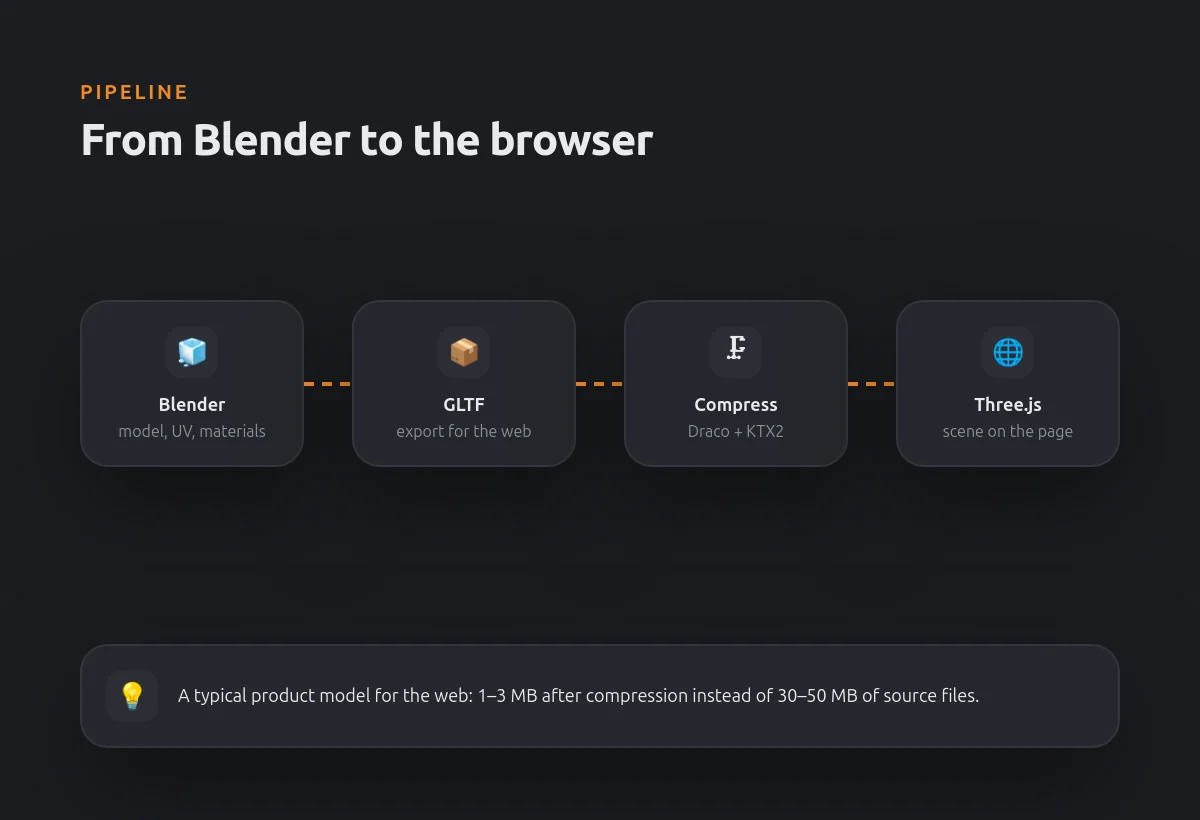
I create the model in Blender: geometry, UV, materials and lighting. Then it is exported to GLTF — the standard format for 3D on the web — and compressed with Draco for geometry and KTX2 for textures.
On the website the scene is built with Three.js: camera, light, controls and animations. A typical product model weighs 1–3 MB after compression instead of tens of megabytes of source files.
How a model gets onto the page
- Blender — modeling and materials
- GLTF — the web format
- Draco and KTX2 — compression
- Three.js — the interactive scene
Keeping the page fast
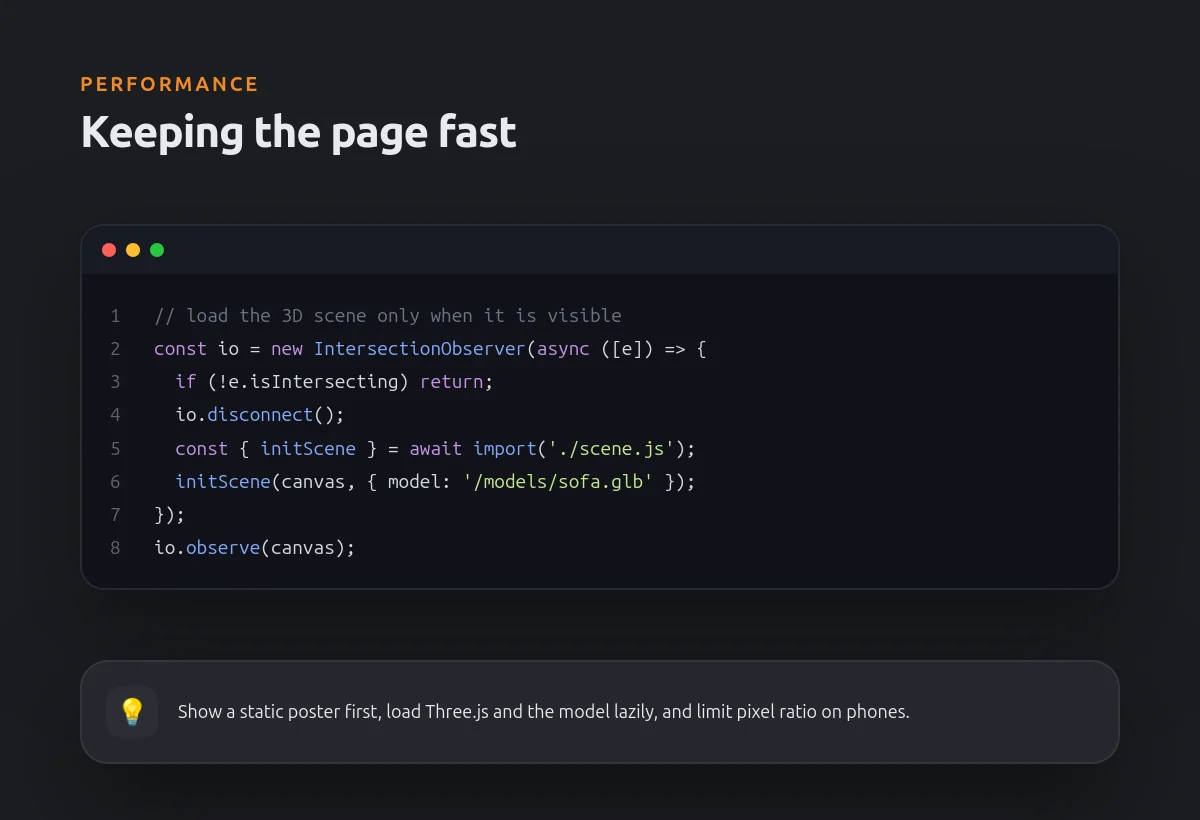
The most important rule: the 3D scene should not block the page. First the visitor sees a static poster image, and Three.js with the model loads only when the block appears on the screen.
On phones I limit the pixel ratio and the number of lights, and when the user is not interacting the render loop stops. As a result the page keeps good Core Web Vitals even with an interactive model.
Techniques I always use
- Static poster first, 3D later
- Lazy loading when the block is visible
- Lower quality settings on mobile
- Pause rendering when nothing changes