
When leads start getting lost
Many companies start with spreadsheets and messengers, and for a while it works. Then the number of clients grows, requests come from the website, Telegram, Instagram and email, and suddenly nobody knows which client was promised what.
A CRM solves this by putting every lead and deal into one pipeline. But the system itself does not fix anything: a CRM that is set up without understanding the process quickly turns into one more place where nobody looks.
Below is the step-by-step approach I use so that a CRM becomes a working tool and not a formality.
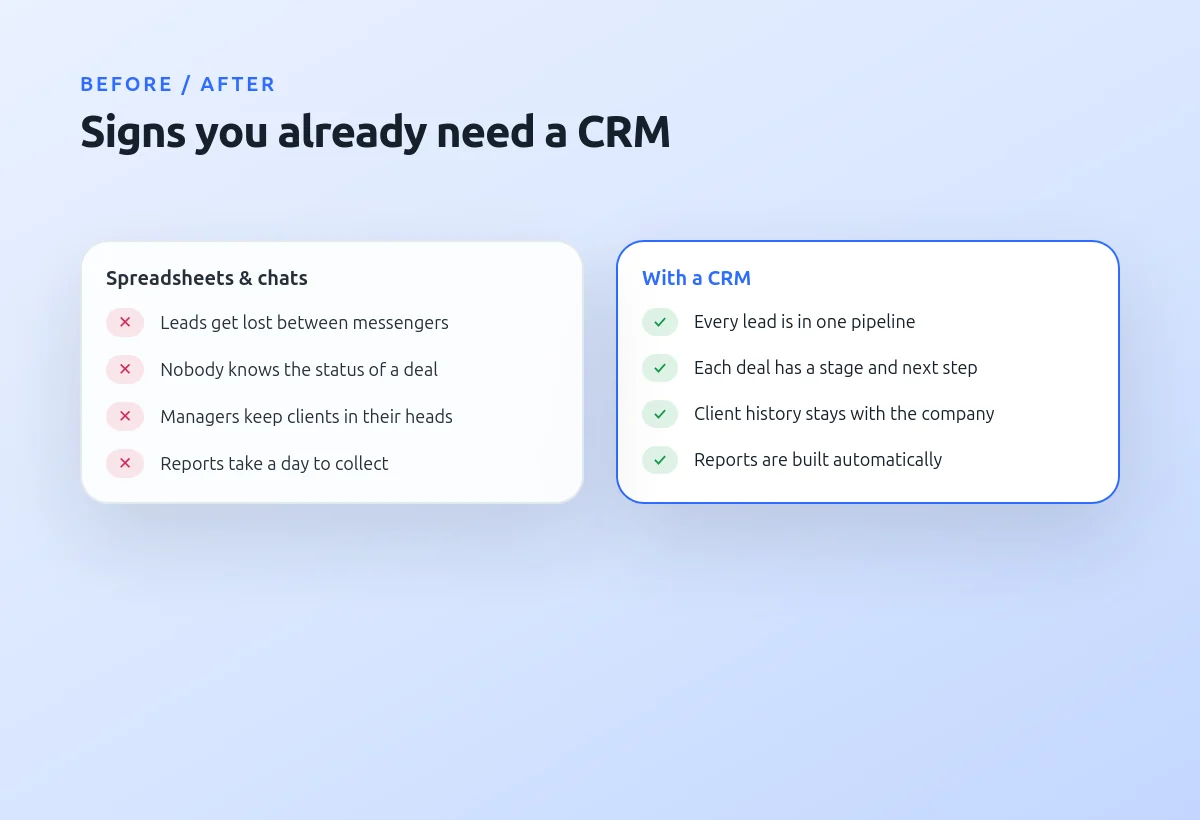
Signs you already need a CRM
The clearest sign is lost leads: a client wrote on Friday evening, and on Monday nobody remembers about it. Another one is dependence on specific managers — when a person leaves, their clients and agreements leave with them.
If preparing a simple sales report takes a whole day of collecting data from different places, it is also time to move to a CRM.
If at least two of these sound familiar:
- Requests get lost between messengers and email
- Nobody knows the current status of a deal
- Client history lives in managers' heads
- Reports are collected by hand
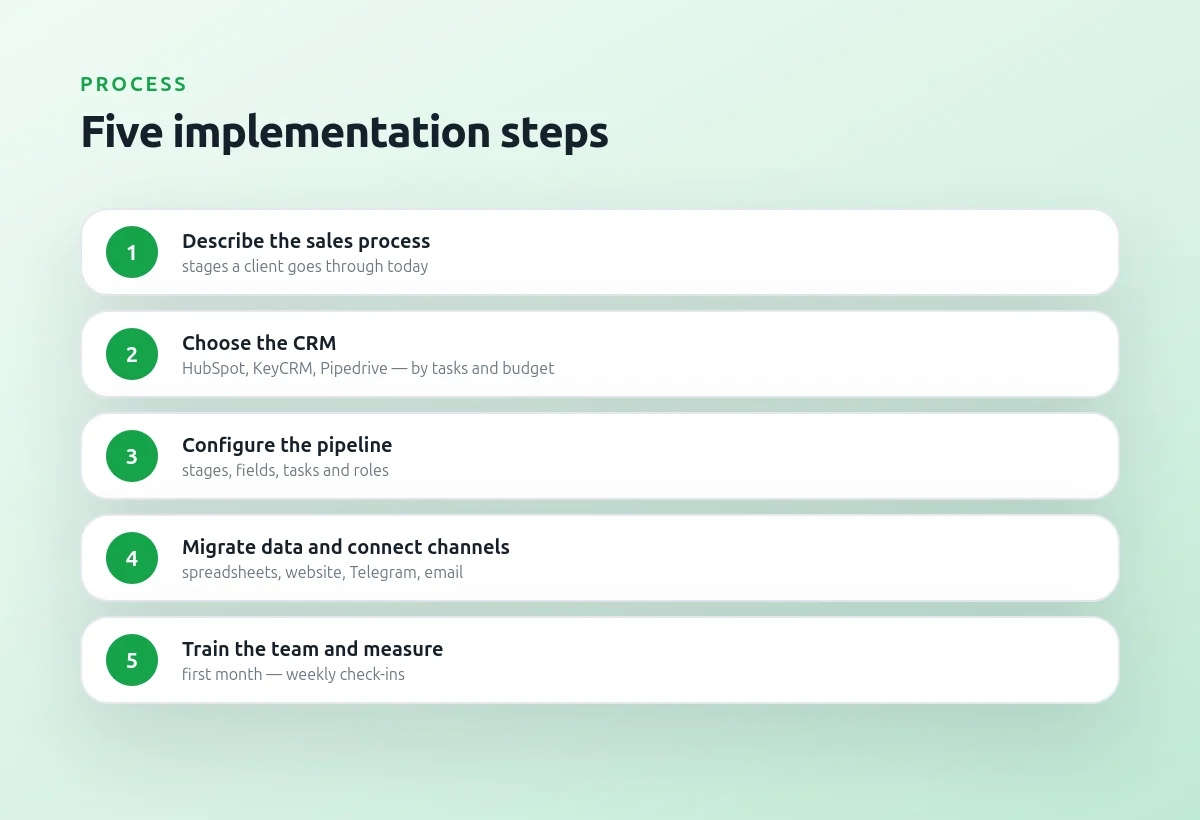
Five implementation steps
I always start not with the CRM but with the process: what stages a client goes through from the first message to payment, who is responsible for each stage and what information is needed. Only then we choose a system — HubSpot, KeyCRM, Pipedrive or another one — based on tasks and budget.
After that we configure the pipeline, fields and tasks, migrate existing data and connect the channels. The first month is the most important: weekly check-ins with the team help to fix what is inconvenient before people go back to spreadsheets.
The order matters more than the choice of system
- Describe the current sales process
- Choose the CRM for the tasks and budget
- Configure the pipeline, fields and roles
- Migrate data and connect channels
- Train the team and measure results
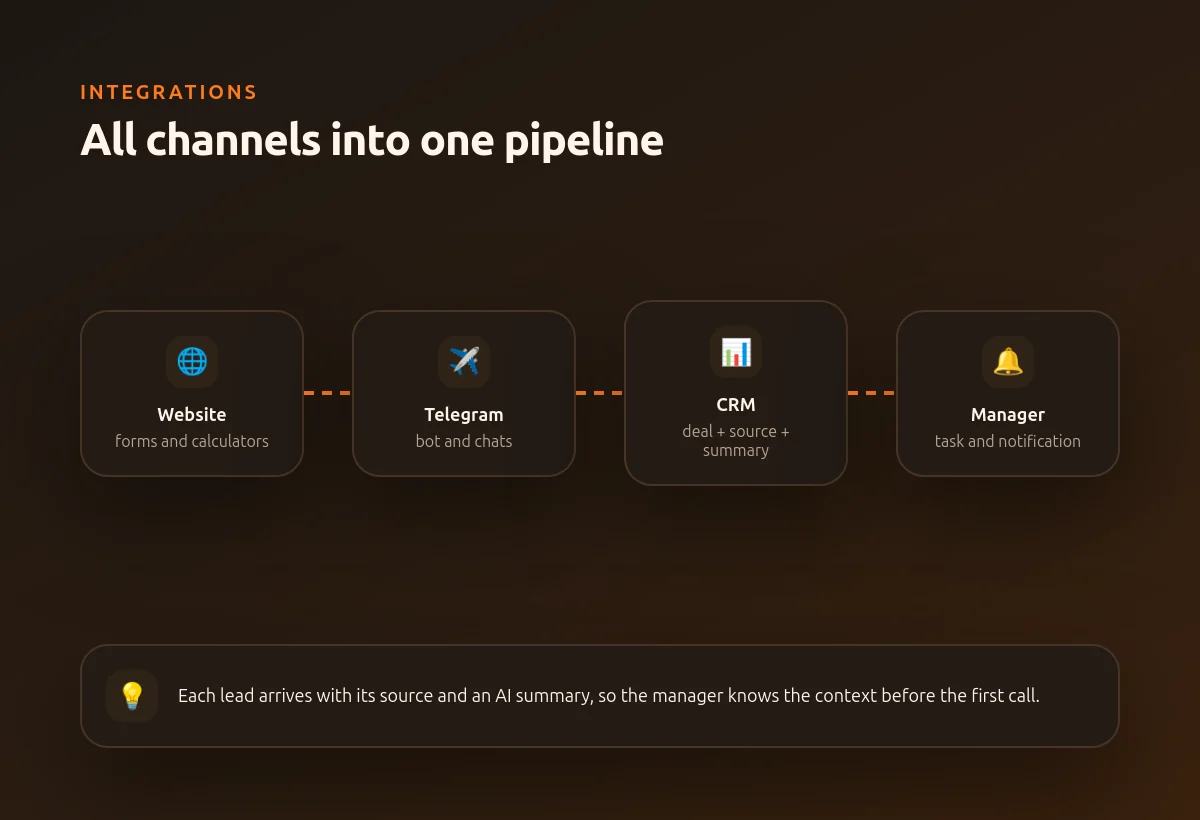
Connecting all channels to one pipeline
The real value of a CRM appears when leads get into it automatically. Website forms, the Telegram bot and email are connected through the API, so each request creates a deal with its source and contact details.
On top of that AI can add a short summary of the request: what the client wants, the budget and the urgency. The manager sees the context before the first call and spends time on selling, not on copying data.
Every lead arrives with context
- Website forms and calculators
- Telegram bot and chats
- Email and Instagram requests
- Automatic tasks and notifications for managers